Alternatives to NotebookLM Get answers from complex documents, fast.
NotebookLM (now Gemini Notebook) is great for synthesizing information and generating new materials. But if you need clear answers from complex collections of documents — quickly, and with guardrails against hallucination — Eno might be for you.
We'll send you a link to install Eno on your Mac or PC


When to choose NotebookLM
Choose NotebookLM (now Gemini Notebook) when you need multi-media inputs, audio overviews, research synthesis, and output that blends your files with web content.

Choose Eno when you need clear, fast answers from complex documents. Built for professionals who can't afford to be wrong.
How Eno compares to NotebookLM
Citations
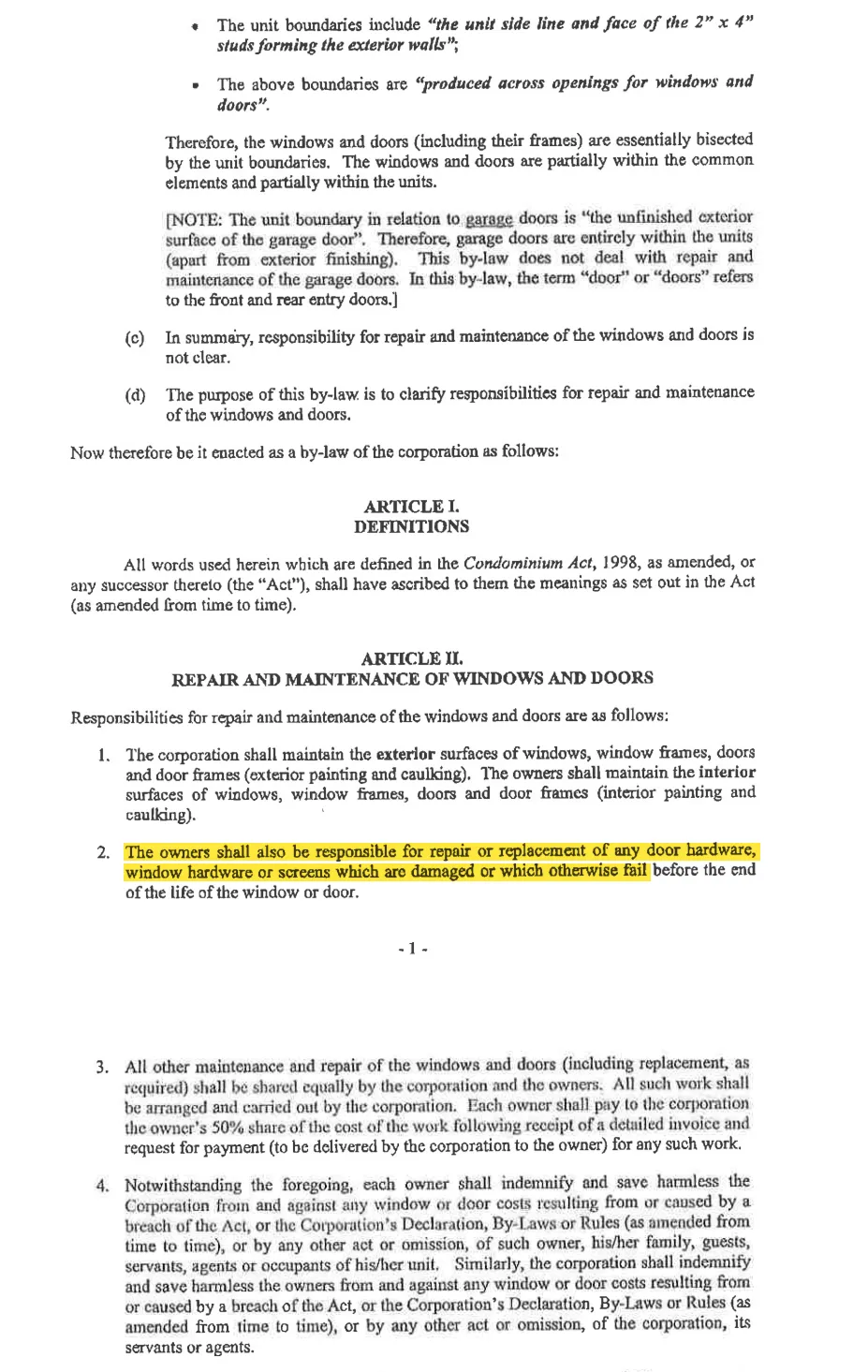
Shows citations using your original document with the exact passage highlighted.
Numbered citations linked to a plain text version of your document.
Answer style
Brief answers to the question you asked.
Longer, often wordy responses.
Where answers come from
Only the documents you point it at on your hard drive or cloud provider of choice (Google Drive, Box, or Clio).
Uploaded files, Google Drive, web links, and web content depending on configuration.
Document (source) volume
Large folders and thousand-page files. Up to 2GB (60,000 pages) per workspace. Can be increased depending on your hardware capability.
Per-notebook source limits. 50 sources per notebook on the free tier. 100 sources per notebook on the plus tier.
Data handling
Zero cloud storage, zero data retention, SOC 2.
Google's cloud and Workspace policies.
Why people look for an alternative to NotebookLM
Sloppy citations
Gemini Notebook citations can be hard to follow because they link to a plain text version of your source document, stripped of styling and structure. Eno displays citations in your original document, scrolls to the passage, and highlights it.
Unwanted inputs
Answers informed by an unwanted web search is a liability. Eno only reads the files you give it. No settings to change, no constraints to add to the prompt.
Ignored instructions
"Keep it short." "Only use the contract." You shouldn't have to repeat these in every prompt or bury them in chat settings. Eno is built around one job, finding and showing the relevant text, so there's less for it to drift away from.
Wordy answers
Many Gemini Notebook users have noticed that simple questions now come back as multi-section write-ups. Eno answers in a sentence or two, then puts the passage in front of you so you can read the rest yourself.
“Ask eno a question and it shows you the answer. It does not tell you. It saves you the time of searching, but leaves you to review and analyze the data yourself.”

John M.
Litigator
“Owners are constantly asking questions about rules or regulations related to our condo. I can point Eno at our corporate documents and get a clear answer in seconds, rooted in the original source document.”

Geoff A.
Condo Board President
Frequently Asked Questions
Is Gemini Notebook the same as NotebookLM?
Can I move my NotebookLM sources into Eno?
Who is Eno for?
Does Eno use the web or other outside sources to answer questions?
Do I need to upload documents to use Eno?
What file types does Eno support?
Is Eno free?
We'll send you a link to install Eno on your Mac or PC

Who is responsible for replacing broken hardware on windows?
Reviewed 7 documents, found 1 section in 1 document
The unit owners are responsible for repairing or replacing broken or damaged window hardware that fails before the end of the window’s life.
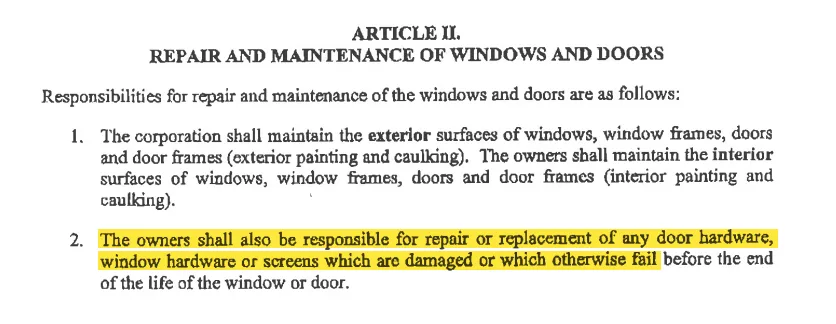
Explicitly assigns responsibility for repairing or replacing damaged or failed window hardware to the owners.
by-law-4 • p. 7